
Assets
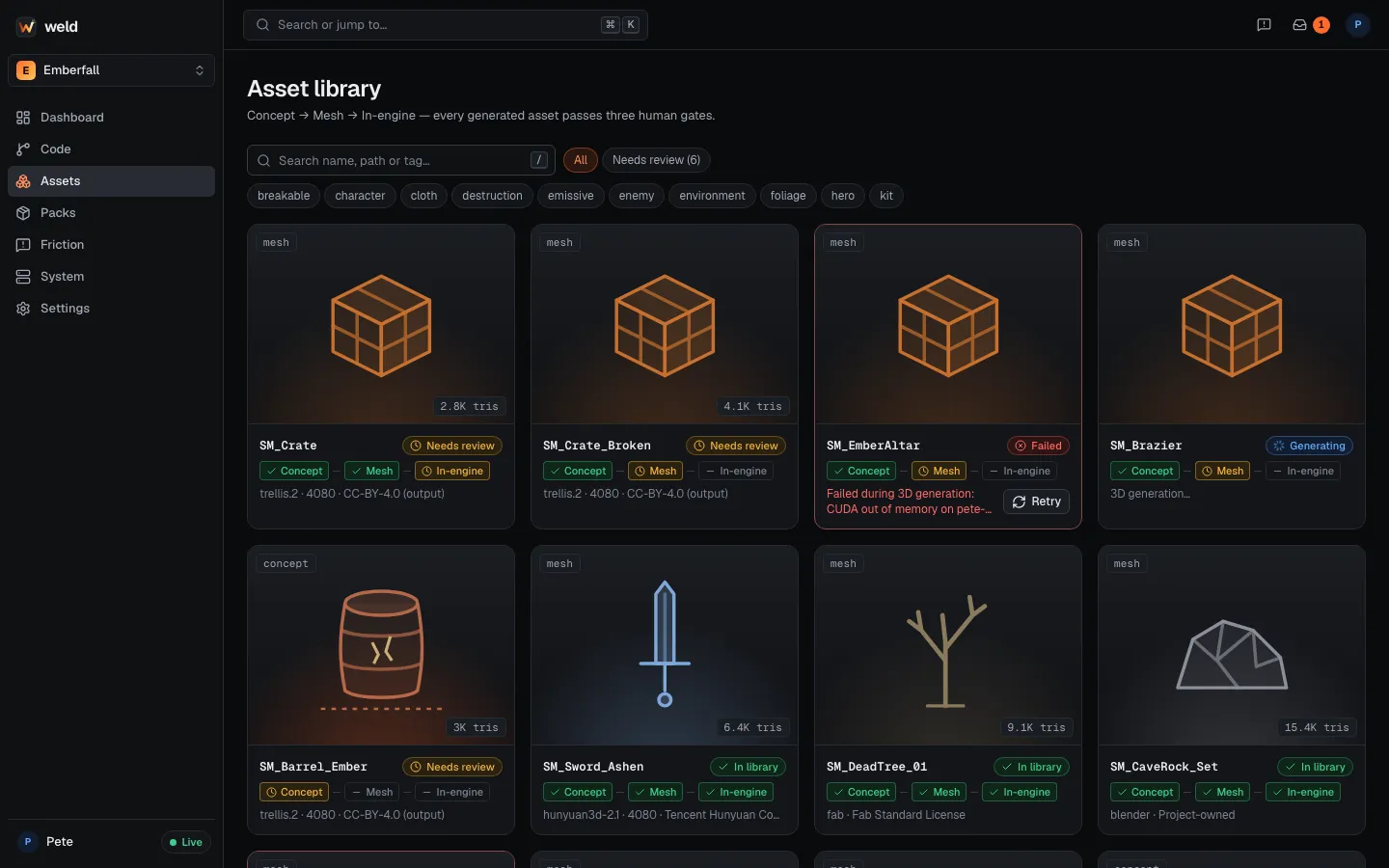
Weld keeps an asset library for each project on the hub: every 3D asset with its previews, tags, triangle counts, provenance and the state of its approval gates. Large files live in the game repo through Git LFS; the hub keeps previews and records so the library loads quickly in the browser.
What an asset record holds
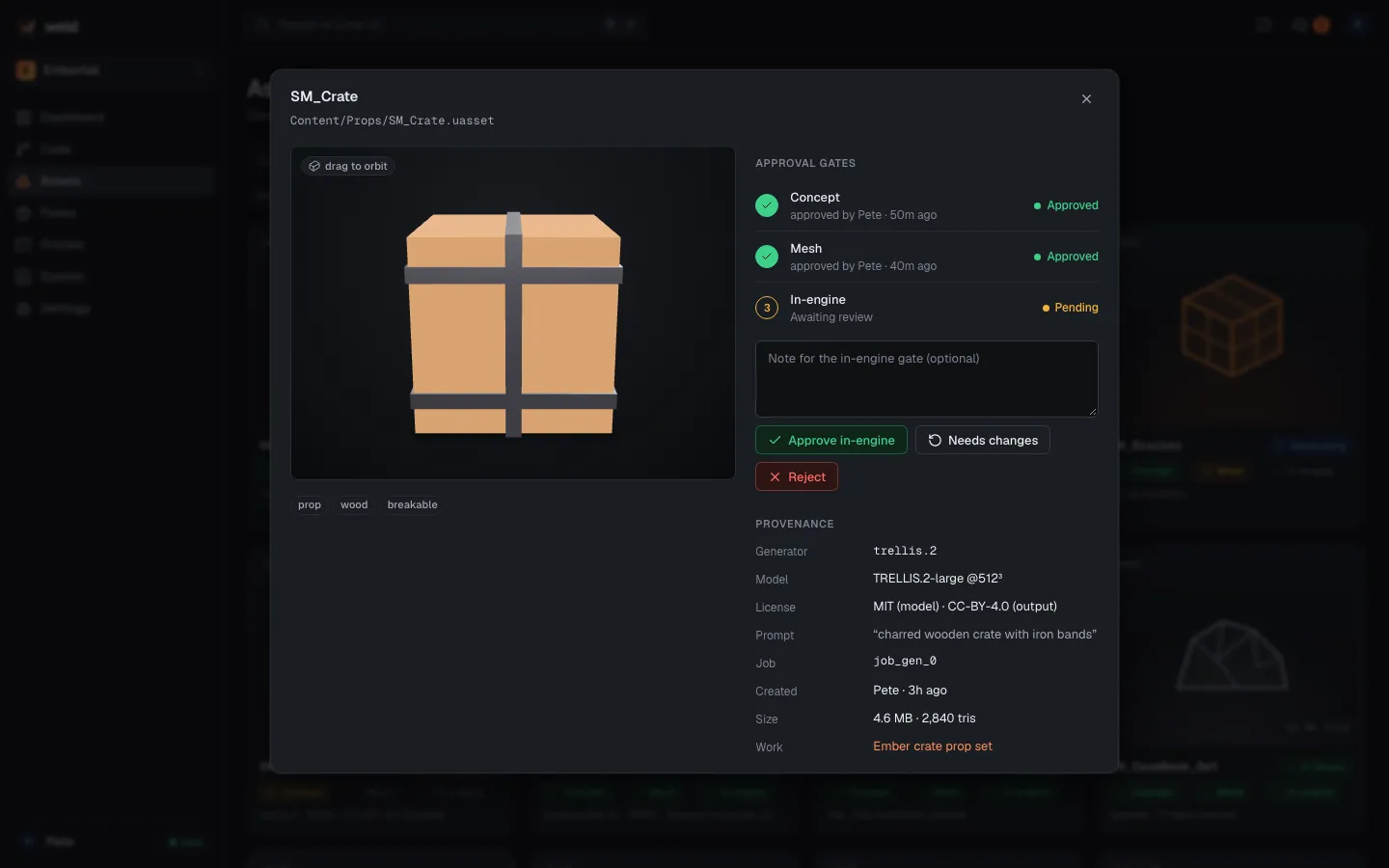
Section titled “What an asset record holds”- Previews: an interactive GLB preview, a thumbnail and a turntable.
- Files: the GLB, the FBX with LODs, textures, and where they live in the game
(
Content/Weld/Assets/…). - Gates: the concept, mesh and engine gates, each with its evidence (concept image, mesh renders, in-engine screenshot) and who approved, rejected or asked to regenerate it.
- Provenance: the generator, model and version, license, seed, node and job for every generated step. Models with licenses that don’t allow commercial game use aren’t used.
Where assets come from
Section titled “Where assets come from”- The AI pipeline:
weld asset make "a mossy rock"(or ask Claude to “make a prop”) runs concept → image-to-3D → Blender cleanup → Unreal import, pausing at three human gates. See the Asset pipeline. - Your own concept art or a Fab image:
weld asset make --image concept.pngstarts the pipeline at gate 1 with your image as the concept; it still passes the remaining gates. - Requests from the web: “Request asset” on the Assets page (prompt, reference image, style
notes, target, polygon budget and LODs) creates a proposed Work item
asset:<slug>with the request attached. A teammate’s agent runs it withweld asset make --asset <id>, or, if the requester opted one of their GPU nodes in, it runs automatically.
Deciding gates from anywhere
Section titled “Deciding gates from anywhere”Each gate’s evidence is uploaded to the hub while the pipeline waits. Approve, ask for changes or reject in the web library, in the terminal that started the run, or from a teammate’s machine:
weld asset show ast_91c2weld asset gate ast_91c2 mesh --approveweld asset gate ast_91c2 concept --reject --note "Bottle neck 30% thinner; cork a separate darker material"weld asset gate ast_91c2 concept --regenerateThe run continues on the first decision, wherever it was made.