
Overlaps and the one-time ask
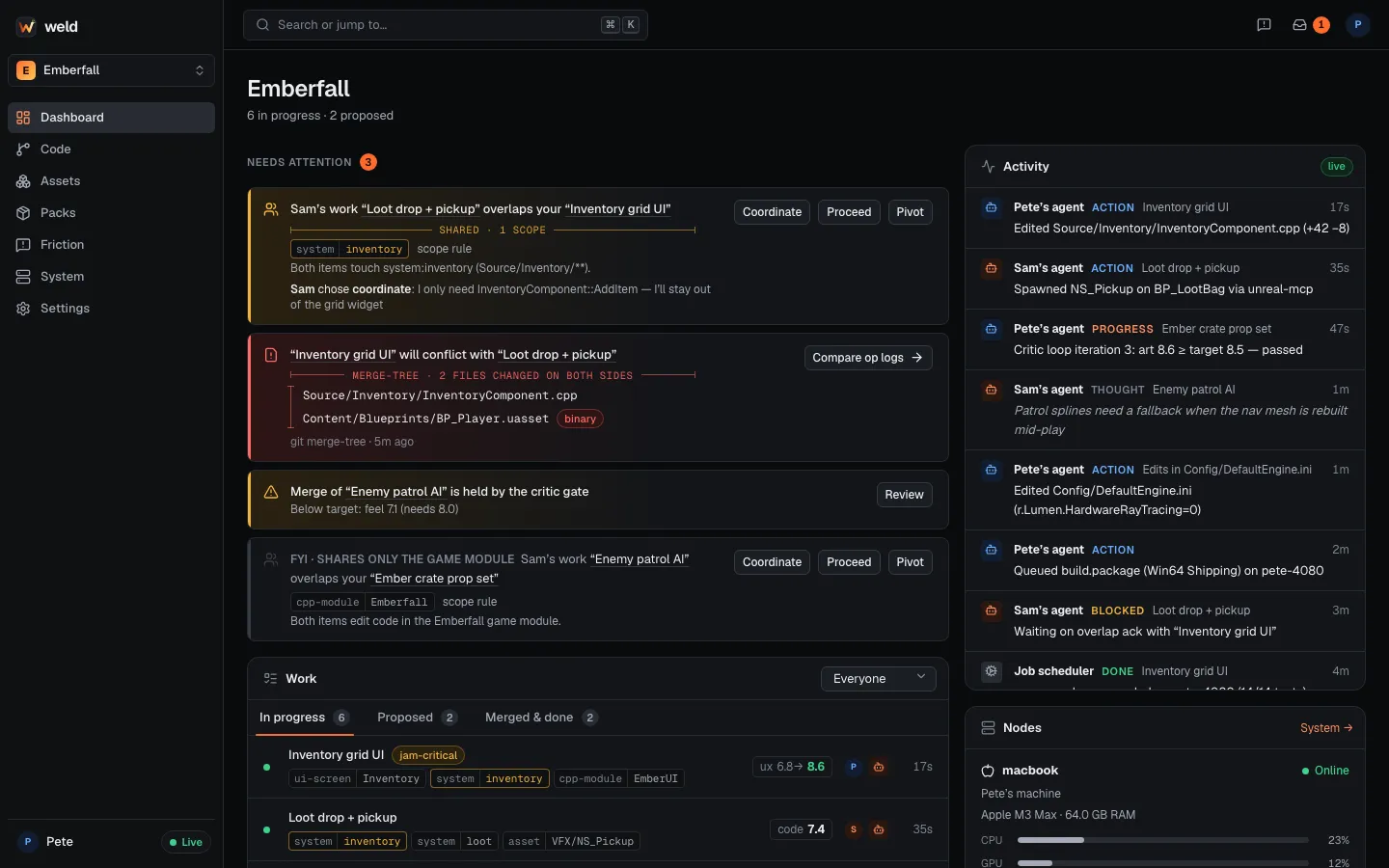
An overlap means two people’s live Work items touch the same part of the game, or look like the same feature. Weld tells both people as soon as it happens and asks each human one question. After that answer, nothing blocks.
How overlaps are found
Section titled “How overlaps are found”Weld compares live (active or stale) Work items in the same project that belong to
different people. Your own sessions never overlap with each other.
- Rules first, no model involved. Identical scopes of the same kind overlap
(
system:inventoryandsystem:inventory). File scopes are expanded throughscopes.toml, so a file insideSource/Inventory/counts as its system and module. Map cells overlap hierarchically. - A judge only when it’s ambiguous. When no rule matches but the pair looks related (the same
name under different kinds such as
system:inventoryandui-screen:Inventory, one system name extending another, shared GDD sections, or very similar titles and summaries), a cheap model call decides. If the judge fails for any reason, Weld treats it as no overlap and never blocks anyone.
Overlaps that only share the game’s main C++ module are shown as FYI: visible, but no question is asked.
The one-time ask
Section titled “The one-time ask”- Surfaced at the next prompt. When you send Claude a prompt, Weld adds the overlap to the
context. Claude reads the other Work item and asks you once, with three options:
- Coordinate: talk to the other person first and agree who does what.
- Proceed: both continue as planned; merge-time tooling handles the rest.
- Pivot: change your plan to stay out of the overlapping area.
- Recorded. Your answer is stored with
weld_overlap_ack(orweld overlap ack <their work> --decision coordinate|proceed|pivot --note "…"). The other person sees your decision and note on their dashboard and at their next prompt. - Enforced, once. If the agent reaches its first edit and the overlap is still unacknowledged, a one-time confirmation appears in Claude Code for you. After you were asked, or after you acknowledged, Weld never asks again for that pair.
Each human answers for their own side. Agents never decide for you.
From the terminal
Section titled “From the terminal”weld overlap list # your overlaps and what to decideweld overlap ack "Loot drop + pickup" --decision coordinate \ --note "I only need InventoryComponent::AddItem; I'll stay out of the grid widget"weld msg sam "Taking the grid widget, you own AddItem. OK?"Overlaps vs. conflicts
Section titled “Overlaps vs. conflicts”An overlap is about features: two people building in the same area, found from declared scopes before much code exists. A conflict is about lines and files: git has found that two branches change the same thing. Overlaps let you talk early; conflicts tell you exactly where the merge will hurt.