
WIP refs and conflicts
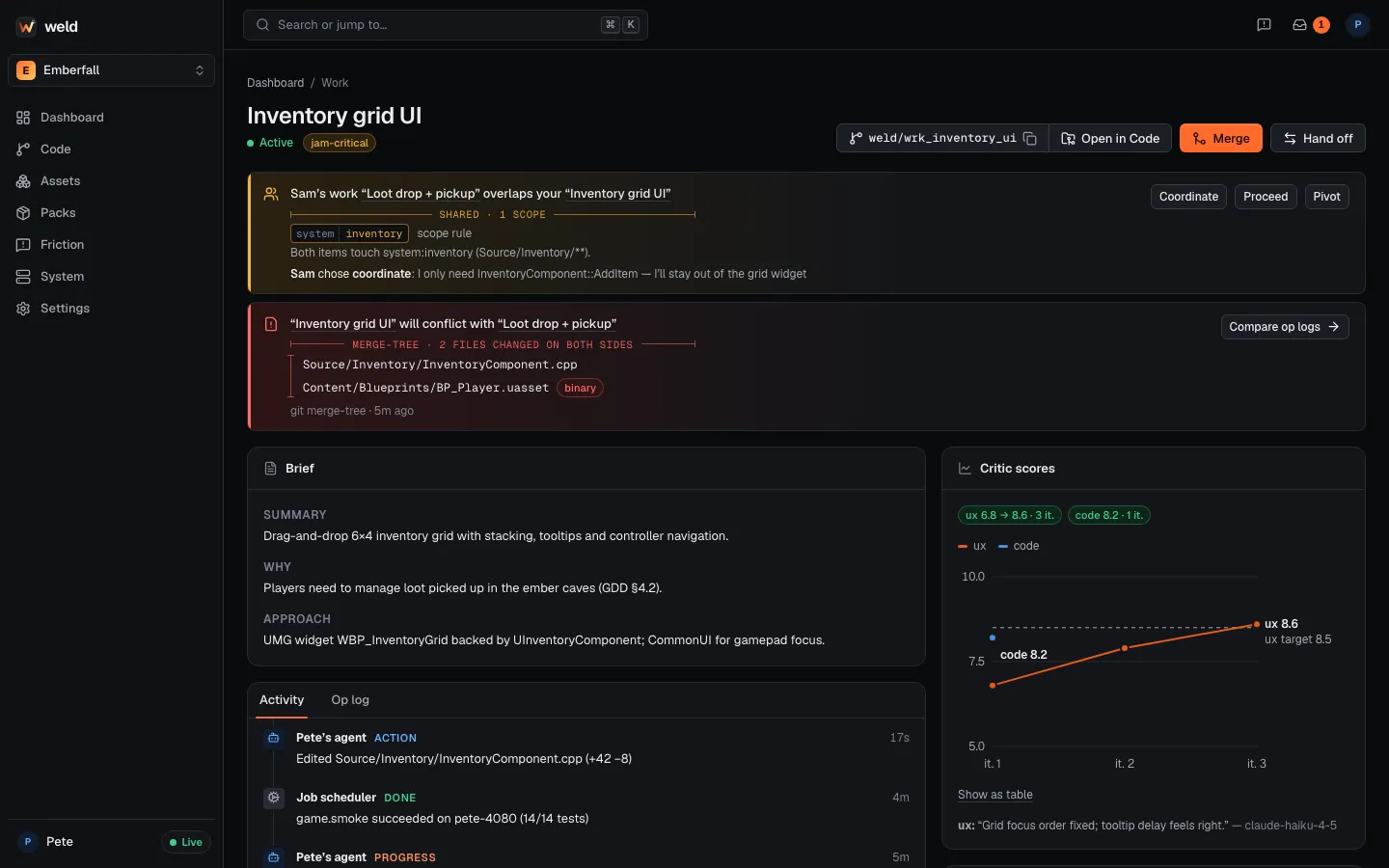
Weld predicts merge conflicts with git itself rather than a heuristic, so a warning names the exact files, including binary Unreal assets.
WIP refs: your work in progress, on the hub
Section titled “WIP refs: your work in progress, on the hub”About every 60 seconds while you work (debounced), your node snapshots the checkout, including uncommitted and untracked changes but not ignored files, and pushes it to a hidden ref on the hub:
refs/weld/wip/<node>/<work id>The snapshot never touches your index, HEAD or files: Weld writes the tree with a temporary
index, commits it on top of HEAD and pushes it (Git LFS objects first). Unchanged snapshots
are skipped.
WIP refs do three jobs:
- Conflict prediction (below).
- Backup: in-progress work is on the hub even if a laptop dies.
- Sharing: a teammate can fetch your branch at any time to look at it.
Exact conflict prediction
Section titled “Exact conflict prediction”The hub runs git merge-tree --write-tree between every pair of active branches. That is a
real three-way merge done in memory, so the result is exact: if it reports a conflict, the merge
will conflict.
You see it early and specifically:
- “Inventory grid UI will conflict with Loot drop + pickup in
Source/Inventory/InventoryComponent.cppandContent/Blueprints/BP_Player.uasset(binary).” - “Your teammate’s agent modified
BP_Player10 minutes ago.”
Conflicts show at session start, on the dashboard, in weld status and through the
weld_conflicts tool.
What to do about one
Section titled “What to do about one”- Text files (C++, config, docs): usually nothing. Keep branches short and merge often; the merge agent resolves text conflicts using both Work items as context.
- Binary assets (
.uasset,.umap): these can’t be merged line by line. Prefer letting one side finish and merge first, then the other pulls. If both sides do change one, the human picks a side at merge time and both versions are kept in history.
Weld’s game template keeps binary conflicts rare: gameplay logic lives in C++, and maps use One File Per Actor so two people editing different actors don’t touch the same file.
Op logs for binary assets
Section titled “Op logs for binary assets”Agents’ Unreal MCP operations are logged on their Work item (cheap, and readable). When a binary asset conflicts, “Compare op logs” shows exactly what each side did to it, so choosing a side, or redoing the smaller change on top of the other, is quick.