
Daily workflow with a teammate
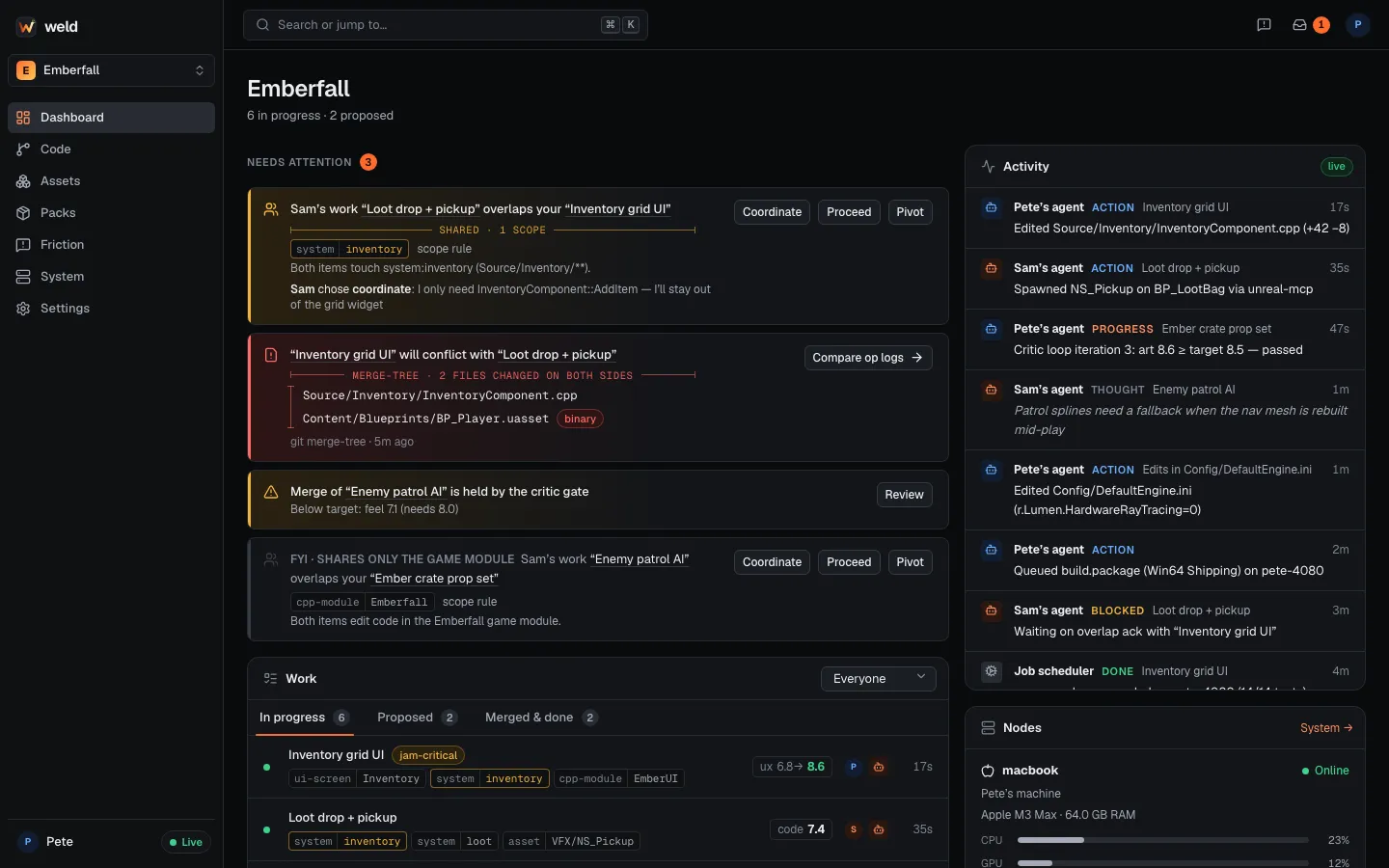
This is what a normal day looks like for two people, Pete and Sam, each driving Claude Code on the same game. Nobody has to be on a call.
-
Start of day: check what needs you.
Terminal window weld statusgit pullweld statusshows your live Work, handoffs, unread messages and merges waiting for you. The dashboard’s Needs attention list shows the same. Handle those first: overlaps you haven’t answered, merges that need a human, handoffs. -
Say what you’re building (Claude does it for you).
Pete asks Claude: “Build a 6×4 inventory grid with drag and drop.” Before editing, Claude declares Inventory grid UI with a summary, the reason, its approach and the paths it expects to touch. It shows on Sam’s dashboard immediately, and at Sam’s next prompt their agent knows about it too.
-
An overlap: answer once.
Sam’s agent is already working on Loot drop + pickup, which also touches
system:inventory. At Pete’s next prompt, Claude explains Sam’s Work and asks Pete one question: coordinate, proceed or pivot?Pete picks coordinate. Claude records it and messages Sam:
Terminal window weld overlap ack "Loot drop + pickup" --decision coordinate \--note "I'll build the grid widget; you own InventoryComponent::AddItem"weld msg sam "Grid widget is mine, AddItem is yours. Shout if you need the slot API."Sam sees the decision and note on the dashboard and at their next prompt, answers their own side once, and both carry on. Neither of you is asked again about this pair.
-
A predicted conflict: decide early.
A few minutes later the dashboard shows: “Inventory grid UI will conflict with Loot drop + pickup” in
InventoryComponent.cppandBP_Player.uasset(binary). The hub found it by actually merging both WIP branches in memory.- The
.cppconflict is text: let the merge agent handle it at merge time, or agree who changes the function. BP_Playeris binary: agree that one of you finishes and merges first, then the other pulls. Compare op logs shows what each agent did to it.
- The
-
Hand something off.
Pete realises the loot VFX would be better done by Sam:
Terminal window weld handoff "Polish the loot pickup VFX" --to sam \--summary "Niagara burst on pickup; NS_Pickup exists but is placeholder. Branch: weld/wrk_…"It lands on Sam’s dashboard and at Sam’s next session start as a proposed Work item. Sam’s own agent takes it with
weld work take <id>when Sam says yes. Pete’s Claude account never does Sam’s work. -
Raise the quality with the critic loop.
When the grid works, Pete asks Claude to “polish this against the UX rubric”. Fresh critics score it, Claude fixes the top issues, and the critics score again:
ux 6.8 → 7.9 → 8.6. To record scores that count for the merge gate, Pete runs:Terminal window weld agents critique --rubric ux -
Merge through the queue.
Terminal window weld mergeThe queue merges in memory, runs T1, checks the critic targets and lands it, or tells you what needs a human:
Terminal window weld merge list # what waits on youweld merge approve <merge id> # land an AI-resolved text conflict after reviewing itweld merge override <merge id> # merge below the critic target (humans only)Sam pulls
mainnext time they start, and their WIP conflict prediction updates. -
End of day: leave it clean.
- Merge what’s finished;
weld work closeanything you dropped (with--reason). - Don’t leave a conflict for tomorrow morning.
weld statusshould show no surprises. Work you leave open goes idle after 15 minutes without activity and back to proposed after a day, so a teammate can pick it up.
- Merge what’s finished;
Rules of thumb
Section titled “Rules of thumb”- Small Work items, merged often. Short branches mean small conflicts.
- One folder per feature keeps overlap warnings precise.
- Binary assets: one side at a time. Finish and merge before the other person starts on the same Blueprint or map.
- Talk through Weld. Messages (
weld msg) and handoffs reach the other person and their agent at the right moment, with the Work item attached. - Never push to
main. The hub refuses it after the first push; useweld merge.